
Photo Exif Editor Pro - Metada
Banana StudioPhotography
4.489.00 Reviews
- Version
- 2.5.0
- Installs
- 50.00K
- Age Rating
- Everyone
Screenshots
Our Review of Photo Exif Editor Pro - Metada
 Analysis by Appyee
Have you ever taken a photo and wondered, "What were the settings I used?" or "Where was this picture taken?" Well, let me introduce you to Photo Exif Editor Pro - Metadata, an app that’s like having a detailed diary for your photos. This nifty little app offers a deep dive into the metadata of your photos, and I’m here to spill the beans about my experience with it.
A practical place in a photography toolkit
I’d put this Android photography app in a different corner from a camera app or a full photo editor. It won’t help me frame a shot or adjust its look; its job is to inspect and change the information attached to an image. That distinction matters. If you mainly want filters, cropping, or a better camera interface, this is not the tool I’d reach for. If you need to check what a file says about itself, it has a much clearer purpose.
Banana Studio’s app has been available since August 12, 2015, and version 2.5.0 is listed for devices running Android 5.0 or later. It has a 4.4 average from around 1,200 ratings, with over 50,000 installs. The Everyone content rating makes its intended audience broad, though the metadata you choose to keep or remove can still affect your privacy. It costs $1.49, and optional in-app purchases range from $2.49 to $24.99 per item, so I’d check the purchase choices before treating the initial price as the full cost of every option.
The main value is control over image information, not image appearance. That makes it useful for a particular kind of photographer: someone who sorts, shares, archives, or hands off image files and cares about what travels with them. For casual snapshots that stay in a personal gallery, opening metadata may be interesting once and then unnecessary. I’d decide based on whether I have a repeatable task, not on the appeal of seeing a long technical panel.
Uncovering the Hidden Details
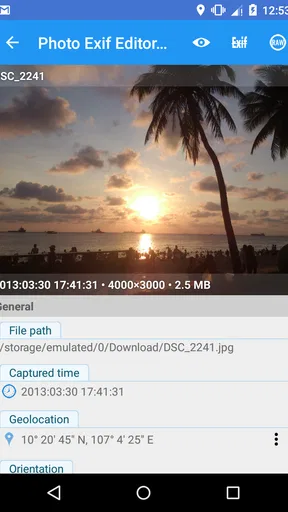
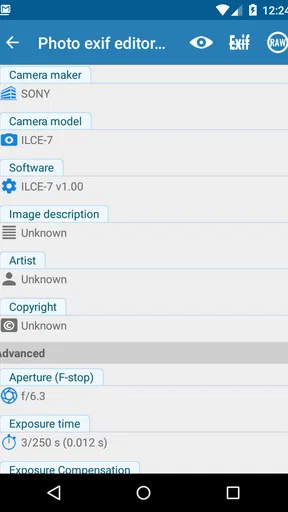
So, what exactly does Photo Exif Editor Pro - Metadata do? In simple terms, it reads and edits the EXIF data embedded in your photos. If you’re scratching your head wondering what EXIF data is, it’s essentially the technical details captured by your camera when you take a photo. This includes information like the camera model, ISO speed, exposure time, and even the GPS location.
The app’s interface is clean and intuitive, making it easy for anyone to jump right in. Even if you’re not a tech guru, you’ll find it straightforward to navigate. The moment you fire up the app, you can select any image from your gallery, and voila! The app displays a treasure trove of information.
Editing Made Easy
Now, here’s where things get interesting. Not only does the app allow you to view this data, but you can also edit it. Let’s say you’re a bit paranoid about privacy and want to remove the location data before sharing a photo online. The app lets you do just that with a few taps.
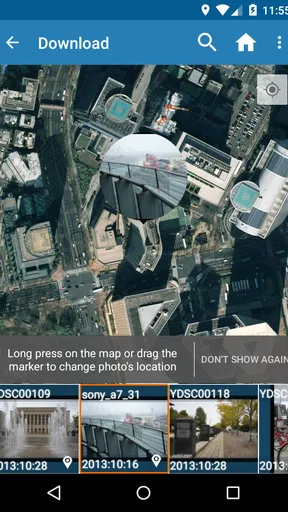
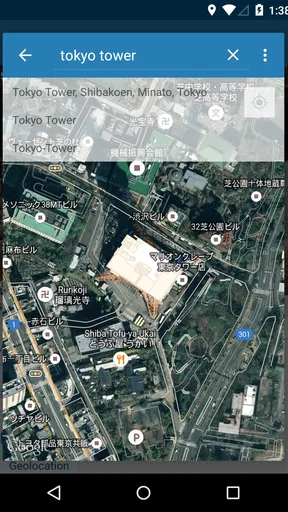
Additionally, if you’re like me and sometimes forget to turn on the GPS before snapping a pic, you can manually add the location later. This feature is a lifesaver for organizing photos, especially when you’re trying to keep track of where your travel pics were taken.
Settings worth checking before a batch
When I have several images to tidy up, I treat the first file as a test rather than immediately changing the whole group. I check whether the location or camera details are the fields I actually want to alter, then inspect the result before repeating the same decision across more photos. That small pause is useful because removing location information and adding a location are opposite goals, and a batch action can magnify either a good choice or a careless one.
A sensible routine is to keep an untouched copy of important originals, make one change, and reopen the edited image to see what remains. This is especially helpful when preparing pictures for a public post: a location may be meaningful in a private travel archive but inappropriate on a photograph shared with strangers. I would not assume that changing one visible field automatically changes every kind of metadata, so I check the fields that matter to my task instead of treating “cleaned” as a blanket guarantee.
Under the Hood
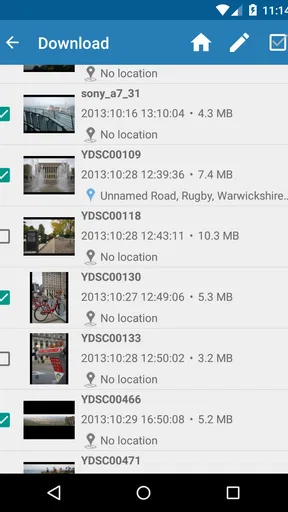
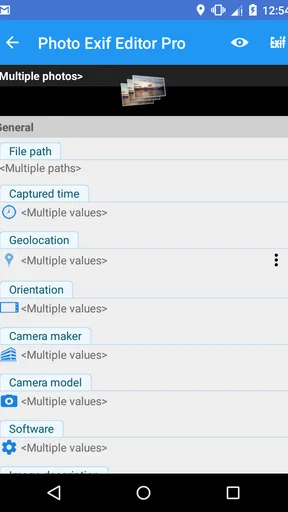
What I love about Photo Exif Editor Pro is its attention to detail. The app supports a wide variety of image formats, not just the usual JPEGs. Whether you’re dealing with TIFFs or PNGs, this app has got you covered. Furthermore, the batch editing feature is a huge time-saver if you have a ton of photos to process.
The app is also quite lightweight, so it won’t bog down your device. I’ve been using it on my Android, and it runs smoothly without any hiccups. It’s perfect for those who need a reliable tool without the bloat.
Faster patterns for recurring jobs
Batch editing is most useful when the files share a clear reason for changing them. For example, after a community event, I might want to remove location details from a selected set before sending those pictures around. I’d first separate the images I intend to share from the full camera roll, then apply the same edit only to that selection. The key time-saving habit is deciding the scope before editing, not tapping through a larger folder and hoping to catch every exception.
For travel photos, the opposite workflow can make more sense: add a location to a small group whose place I can identify confidently, rather than guessing for every image from memory. I’d use a landmark, a trip note, or another reliable clue to avoid attaching an inaccurate location. This is a practical trade-off: more complete records help later searches, but incorrect metadata can be worse than leaving a field empty.
Custom tags can also support a simple filing habit. I would keep labels short and consistent—such as a project name or a subject—rather than inventing a new description for every file. A stable vocabulary makes tags more useful when I revisit a collection, while overly detailed notes can become extra work with little payoff. The app is best when the edits follow a routine I can repeat, not when I try to turn every image into a fully documented archive.
More Than Just a Pretty Face
Another standout feature is the ability to add custom tags to your photos. This is particularly useful for photographers who want to add notes or categorize their work. It’s like giving each photo its own little post-it note.
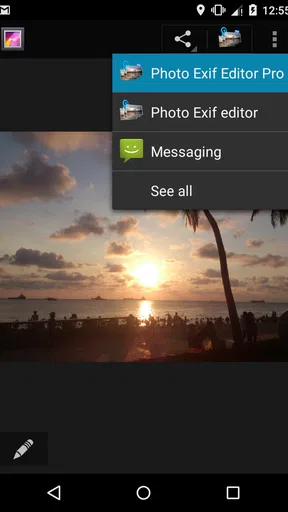
And let's not forget about the sharing capabilities. The app allows you to share edited photos directly to your social media platforms or via email, keeping the process seamless and efficient.
Where it fits—and where it doesn’t
Compared with the usual alternatives, this is a more focused choice than a general gallery or photo editor. A gallery is convenient for browsing and basic organization, while a visual editor is built around changing how a picture looks. Neither is necessarily a substitute for checking technical fields or correcting them deliberately. For a one-off privacy check, an operating-system sharing option or another metadata utility may be enough; I’d choose this app when I expect to inspect or adjust image details repeatedly.
It is not the best fit for someone who wants an automatic privacy shield for every image they send. The workflow described here involves selecting and editing photos, so I’d still review the actual files I plan to share rather than assume every export is handled in the same way. Nor would I choose it as my sole backup system: metadata work is not a replacement for keeping safe copies of original photographs.
A realistic use case is a parent sending a group of pictures from a school outing to a family chat. Before sharing, they can inspect the selected images and remove location information where it feels too revealing, while leaving private archive copies organized for later. Another is a freelance photographer adding consistent notes to a set delivered to a client. In both cases, the benefit comes from a deliberate, small workflow; the app does not remove the need to decide what information belongs with each image.
Advanced limits and careful expectations
EXIF is useful, but it is not the whole story of a photograph. Different image formats and apps may handle embedded information differently, and a destination service may process an image again when it is uploaded. For that reason, I’d verify the edited file itself before relying on it, and I would not treat an edit made here as proof that every platform will preserve or remove every detail exactly as expected.
There is also a judgment call around changing camera information. Correcting an obvious omission can make an archive easier to understand, but altering technical details for a portfolio or handoff can mislead someone who relies on them. I’d reserve edits to capture information for cases where I know the correct value, and avoid making a file look as if it was recorded under settings I cannot verify.
The paid entry price is reasonable if metadata editing is a recurring need, but occasional users may find it hard to justify installing a dedicated utility for a single cleanup. The in-app purchase range also means I’d look carefully at what a particular paid option offers before buying. If I only need a polished picture, a standard image editor is the better use of time; if I need dependable cataloging across a large professional archive, I may prefer a broader desktop workflow with established backup and review steps.
Final Thoughts
All in all, if you’re looking for a comprehensive tool to manage and edit the metadata of your photos, Photo Exif Editor Pro - Metadata is a fantastic choice. It’s user-friendly, packed with features, and most importantly, it gives you control over your photo data.
Whether you’re a professional photographer or just someone who loves taking pictures, this app is definitely worth a try. So go ahead, give it a whirl, and unlock the hidden world of your photo metadata!
A verdict based on the habit you need
I’d recommend it to Android users who regularly inspect image details, remove or add location information, or apply a consistent tagging routine. The strongest reason to keep it around is not curiosity about one photo; it is having a repeatable need across a collection. Its support for multiple formats and batch work can make those jobs less tedious, while the option to edit individual files gives me a way to handle exceptions with care.
I’d skip it if I rarely share images, do not care about metadata, or mainly want to retouch pictures. I’d also avoid rushing through batch edits when the selected photos have different privacy needs or uncertain location details. My most reliable approach is simple: choose only the files with the same purpose, test an edit, inspect the result, then proceed. Used that way, this focused photography utility earns its place without pretending to replace a gallery, editor, or backup workflow.
Verdict
Strengths of Photo Exif Editor Pro - Metada
- Intuitive interface for easy navigation.
- Batch editing saves time for users.
- Supports various image formats.
- No ads, providing a seamless experience.
- Comprehensive metadata editing options.
Limitations of Photo Exif Editor Pro - Metada
- Limited free version features.
- Occasional crashes on older devices.
- Requires internet for some features.
- No direct cloud storage integration.
- No support for video metadata editing.
Similar Picks in This Category
View All
Google Photos
Google LLC4.4

Gallery
Google LLC4.2

Picsart AI Photo Editor, Video
PicsArt, Inc.3.9

B612 AI Photo&Video Editor
SNOW Corporation4.1

BeautyPlus-Selfie Photo Editor
PIXOCIAL TECHNOLOGY (SINGAPORE) PTE. LTD.4.5

Remini - AI Photo Enhancer
Bending Spoons4.1
Frequently Asked Questions
What is Photo Exif Editor Pro - Metadata used for?
Photo Exif Editor Pro - Metadata is an app designed to help users view, edit, and remove Exif data from their photographs. Exif data contains information like the camera used, date and time of capture, and location details. This app allows users to manage this metadata, enhancing privacy or correcting inaccuracies.
Can Photo Exif Editor Pro handle batch editing of photos?
Yes, Photo Exif Editor Pro supports batch editing, allowing users to edit or remove Exif data from multiple photos simultaneously. This feature is particularly useful for users who need to manage large collections of images efficiently, saving time compared to editing each photo individually.
Is it possible to add new metadata to photos using this app?
Absolutely. Photo Exif Editor Pro allows users to add new metadata to their photos. Whether you want to include additional information or correct existing data, the app provides a user-friendly interface to input details such as location, camera settings, and more for enhanced organization and accuracy.
Does Photo Exif Editor Pro support all image formats?
Photo Exif Editor Pro primarily supports common image formats such as JPEG, PNG, and TIFF, which are widely used and contain Exif data. Users should verify compatibility with specific formats if their needs extend beyond these standard options, as certain formats may have limitations.
Are there privacy concerns when using Photo Exif Editor Pro?
Photo Exif Editor Pro enhances privacy by allowing users to remove sensitive metadata, like location or camera details, from their images before sharing. However, users should be mindful of permissions granted to the app, ensuring it only accesses necessary files and adheres to privacy preferences.
